
Rather than yet another theoretical article on SEO writing, we preferred to walk through a concrete case. The context: an accounting firm based in Nice that wants to produce content to attract qualified prospects from Google. The goal: find a topic that fits its actual business, write an optimized article, finalize it, publish it. We use Horusium end to end, and we show you how.
Step 1 — Find the right keyword (and not the most obvious one)
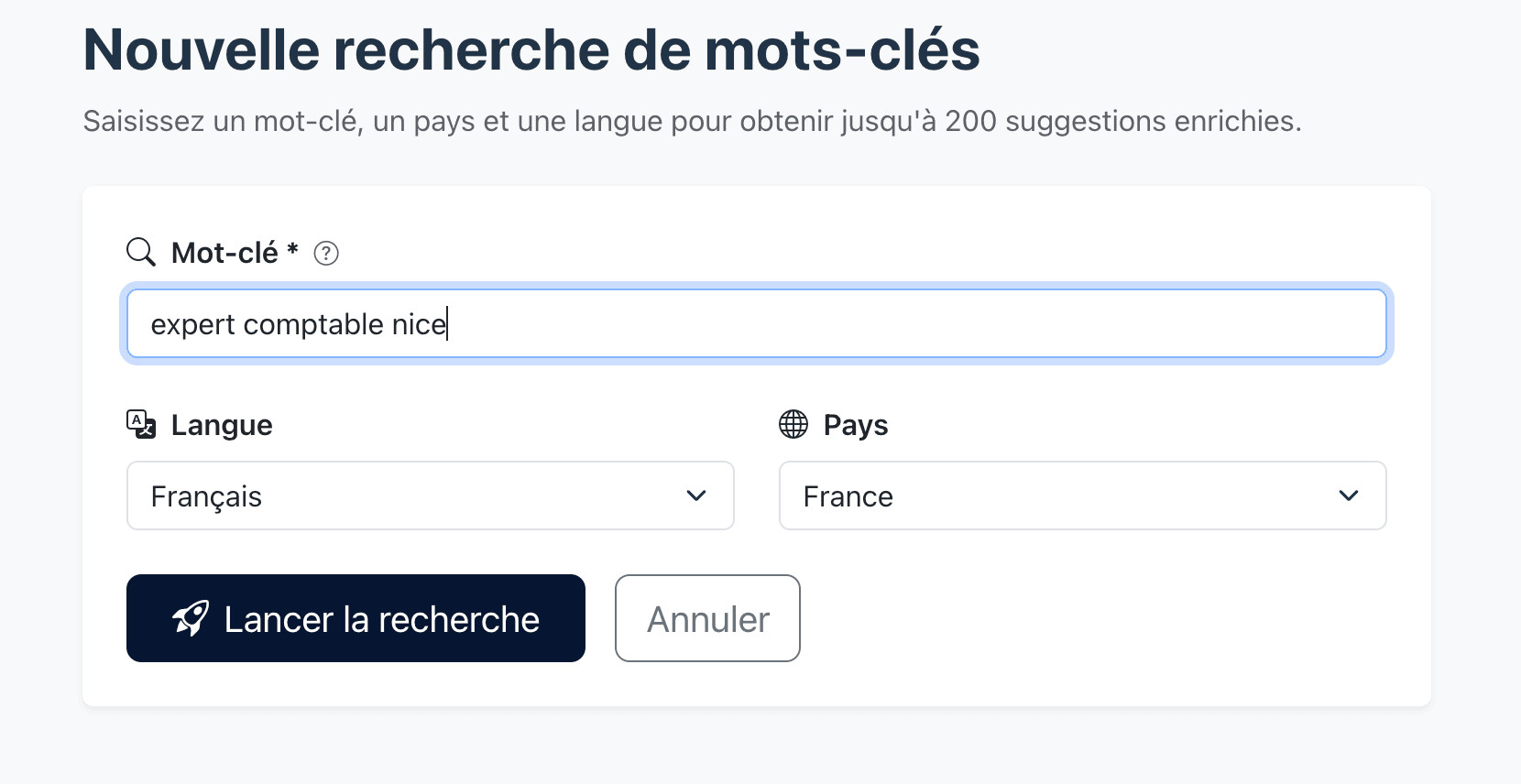
First instinct: try expert comptable nice. An obvious keyword, but ultra-competitive. Before diving in, we go through the Keyword Research module to see what exists around it.
A few seconds later, Horusium returns a complete overview of the semantic field around the keyword: variants, questions people ask, and related keywords. Each row is enriched with monthly volume, Google Ads competition, CPC, search intent, and a Horusium score out of 100.
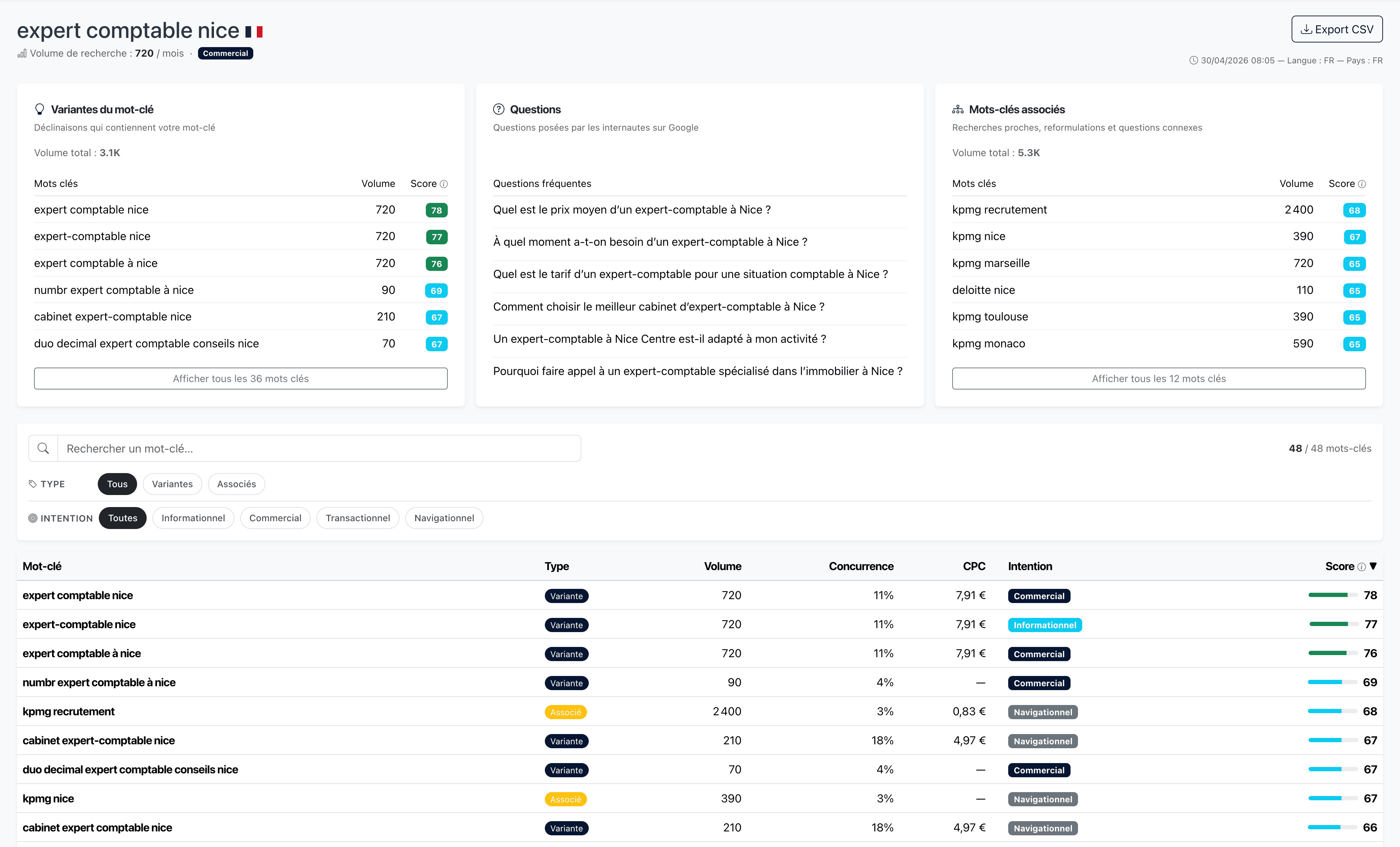
We then look at the variants while keeping two questions in mind: is there real search volume? And above all, does this keyword match a real area of expertise of the firm?
As we scroll down the list, several business niches stand out and catch our attention:
- expert comptable VTC Nice — the taxation of VTC drivers is a specialized topic (micro vs. actual-expense regime, VAT, vehicle expenses, Uber/Bolt platforms), and the firm happens to have VTC clients in its portfolio.
- expert-comptable immobilier Nice — property holding companies (SCI), the LMNP status, micro-foncier or actual-expense regimes: the firm has it covered.
- expert comptable Nice LMNP — even more niche, with a qualified audience (rental investors).
These keywords have less volume than expert comptable nice alone, but the intent is more precise and the editorial competition is far weaker. The effort-to-result ratio is unbeatable: ranking on a niche keyword lets you reach a prospect who is already pre-qualified and knows what they're looking for.
The right instinct. Don't confuse volume with opportunity. A keyword with 200 searches/month where you have genuine expertise will pay off more than a keyword with 2,000 searches/month where you're the 30th page suggested.
For this example, we go with expert comptable VTC Nice.
Step 2 — Launch SEO writing
Off to the SEO Writing module. We enter the keyword, the writing language, and the target country. The country is used to specify the SERP being analyzed (Google.fr from France here).
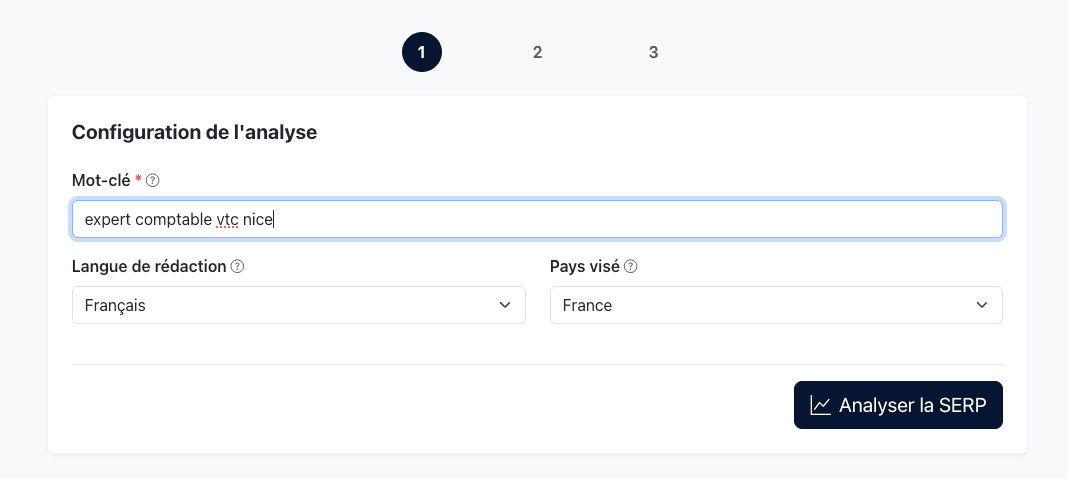
Clicking on Analyze the SERP, Horusium gets to work: it analyzes the best-ranking pages on Google for this keyword, extracts their editorial structure, the salient terms, and the topics actually covered by competitors. A few seconds later, we reach step 2.
Choosing the H1 title
Horusium suggests 5 titles inspired by the content of the SERP. The idea isn't to copy competitors: it's to understand how they frame the dominant angle, so you can align with it or deliberately stand apart from it.
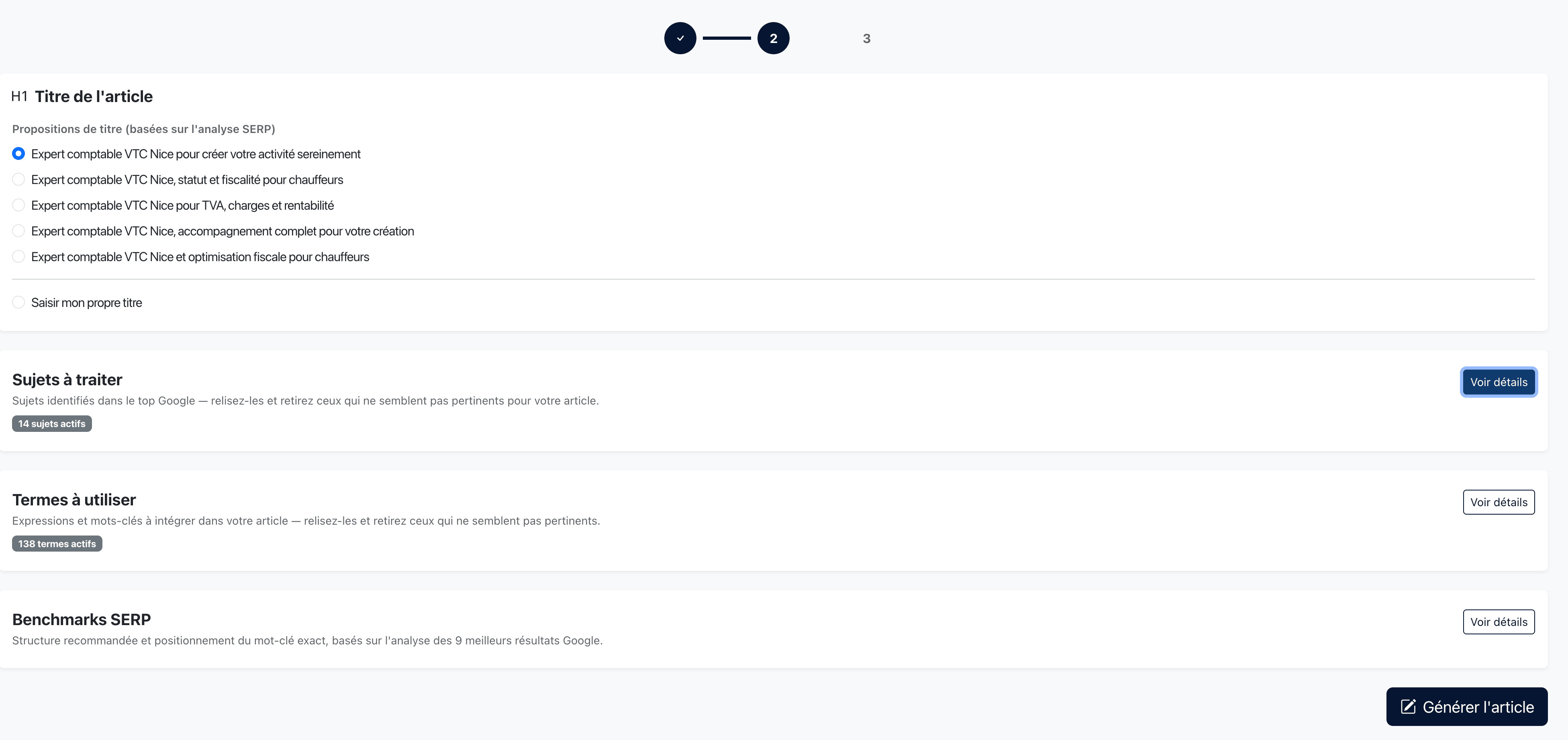
In this example, none of the five completely wins us over. Instead of taking one as is, we use them as raw material and write our own H1: Expert comptable pour Taxi et VTC à Nice. The exact keyword isn't there verbatim; it's a deliberate choice that we revisit later in the article.
Validating the topics to cover
On the same page, Horusium lists the topics to cover identified from the top 10 competitors, ranked by SERP coverage and priority.
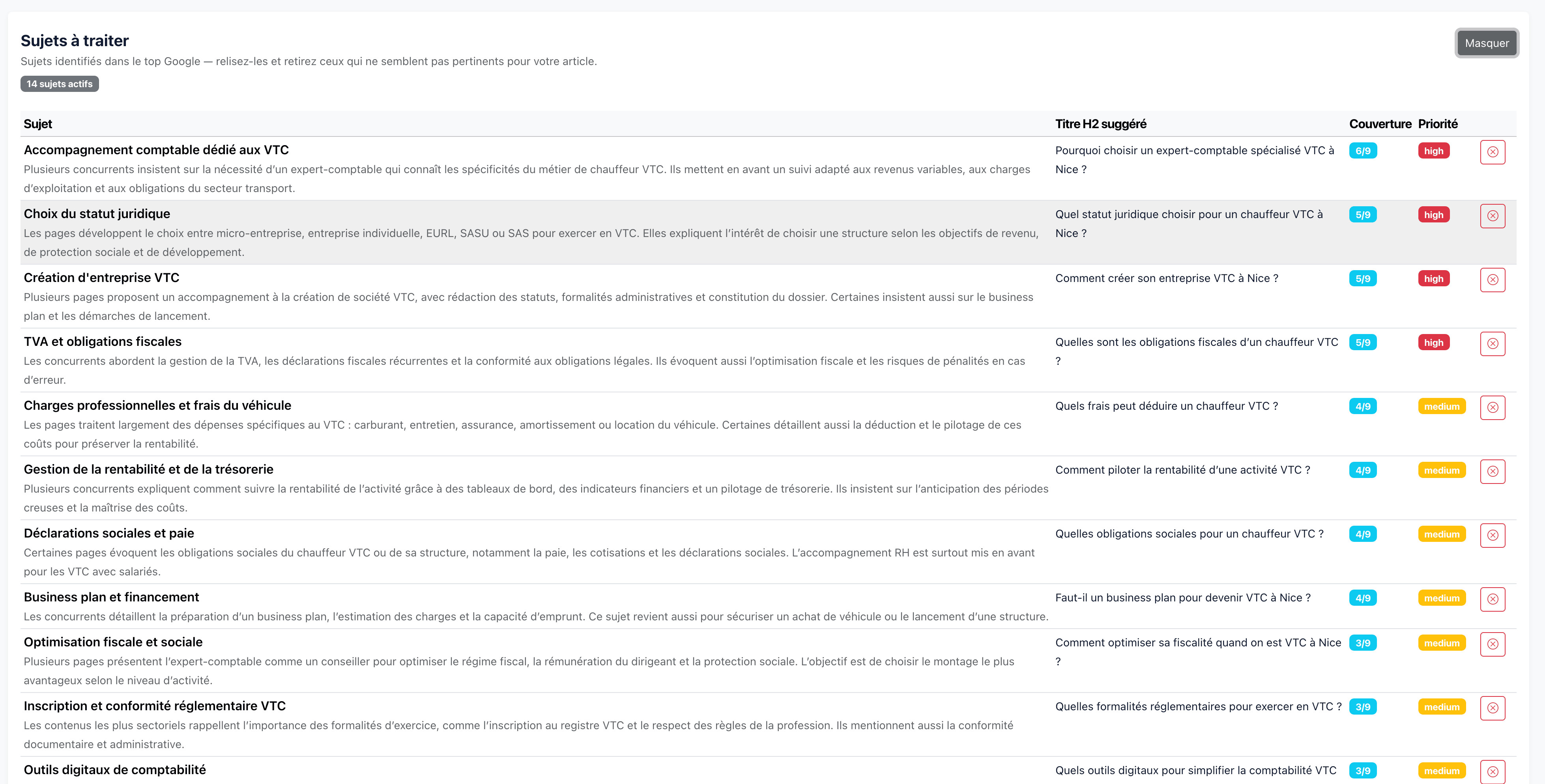
We go through the list to exclude what doesn't fit the business:
- If the firm doesn't help with company formation, we remove the “VTC business formation” topic.
- If it doesn't handle payroll for its clients, we remove “Payroll and social security obligations”.
- If the business plan isn't part of its offering, we remove “Business plan and financing”.
There's no point forcing yourself to cover a topic you can't deliver on afterward: it hurts your credibility and generates unqualified leads. Here, the firm has all of that in its offering, so we keep all 14 topics.
Validating the terms to use
Same logic on the Terms to use tab: the list is extracted directly from the content of the higher-ranking pages, after linguistic normalization. It's very relevant by default, but nothing stops you from setting aside a term that's clearly off-topic for you (that stays rare).
These two steps (topics + terms) usually take less than a minute: the recommendations drawn from the SERP are reliable, and we're just confirming them.
Generating the article
We click on Generate the article. Horusium launches the generation: the writing relies on the configuration validated in the previous step, automatically covering the selected topics and injecting the important terms naturally into the copy (no keyword stuffing, it's a real text). All in less than a minute.
Once the article is generated, we switch to the WYSIWYG editor. Our job now: proofread. This is the non-negotiable step. The AI produces a structurally sound text, but it doesn't know the firm: we make sure the advice given fits the real offering, we clarify the tax regimes the way we actually handle them, we correct an imprecise claim, we add a concrete example drawn from a client case.
Step 3 — Optimize the score (the most rewarding phase)
We start with an Optim Score of 64/100. Not bad at all for a first draft: it means the structure and semantic coverage are already coherent. But it's over the next 10 to 15 points that the biggest ranking gains are made.
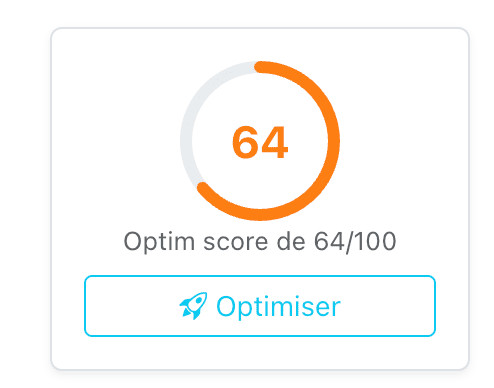
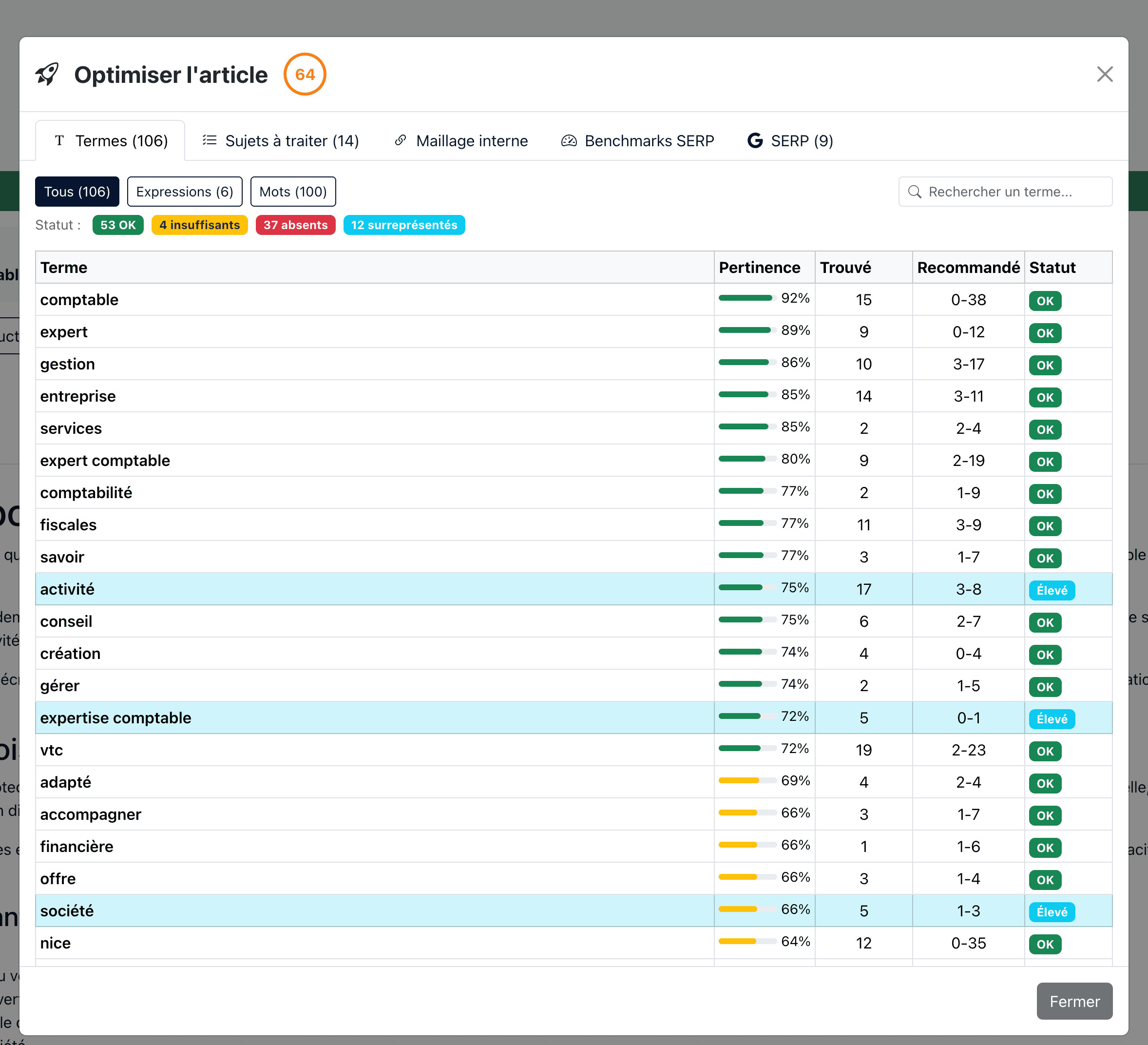
Clicking on Optimize opens a popup with five tabs: Terms, Topics to cover, Internal linking, SERP benchmarks, and the SERP itself.
Topics to cover
First instinct before diving into the terms: check that nothing important is missing on the content side. We open the Topics to cover tab to see what the AI covered and what is only mentioned.
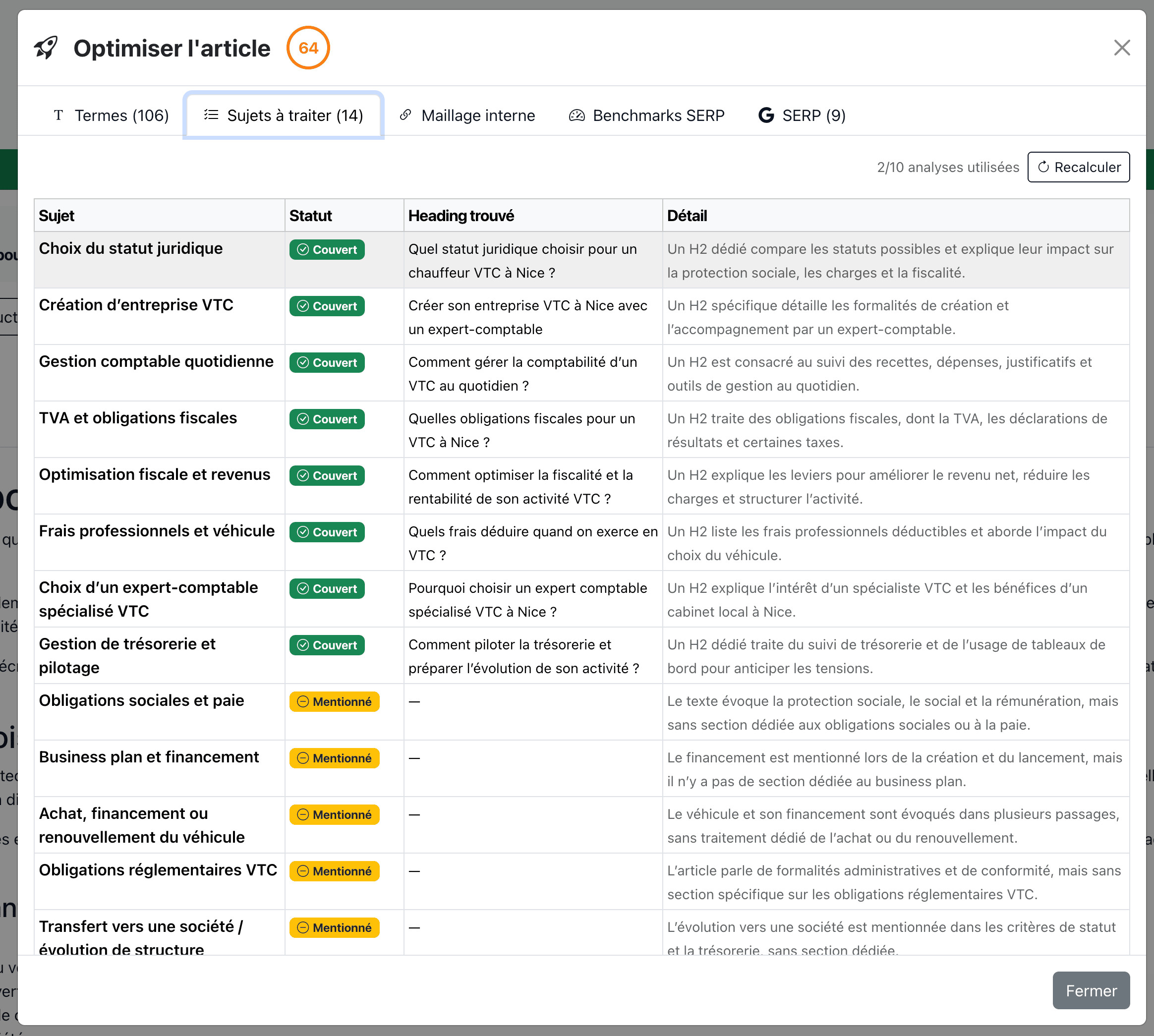
In our case, the 8 priority topics are all covered by a dedicated H2. A few secondary topics are just “mentioned”, meaning touched on in the text without having a section of their own. That works for us: we made the editorial choice to keep a focused article rather than a layer-cake of everything.
SERP benchmarks
We move to the SERP benchmarks tab to compare our article with the top 10 competitors on structural metrics.
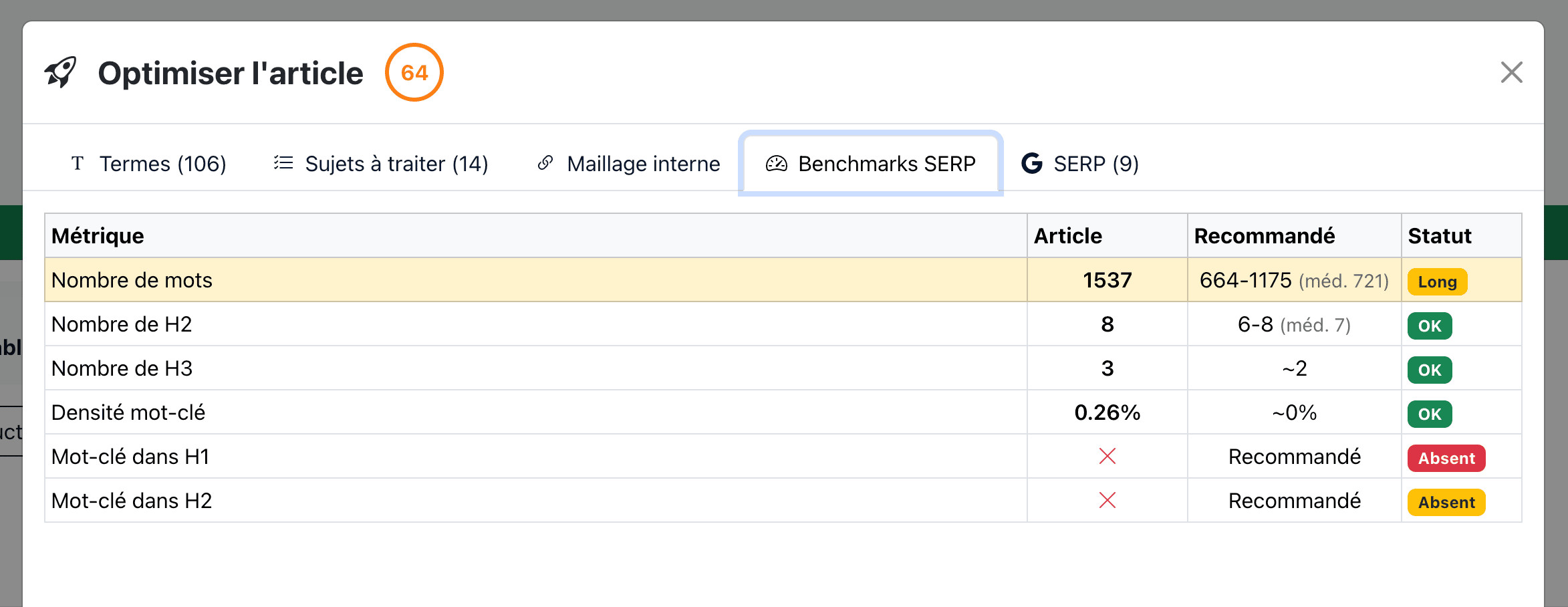
Our article is 1,537 words, whereas the SERP recommends a range of 664 to 1,175 (median 721). It's flagged Long, but that's often the case when you cover all the topics in the SERP: nothing to panic about. The structure (8 H2, 3 H3) is within the ideal range.
Two Missing statuses catch the eye: the exact keyword isn't in the H1 or in an H2. That's tied to our title choice (“Expert comptable pour Taxi et VTC à Nice” instead of “Expert comptable VTC Nice”). It's a deliberate trade-off: we prefer a readable, natural title over a slogan that sounds forced. On other, more generic topics we would probably have done the opposite; on this one, user experience comes first.
Terms to use
Now that we have the overall context, we tackle the most rewarding part: the terms to use.
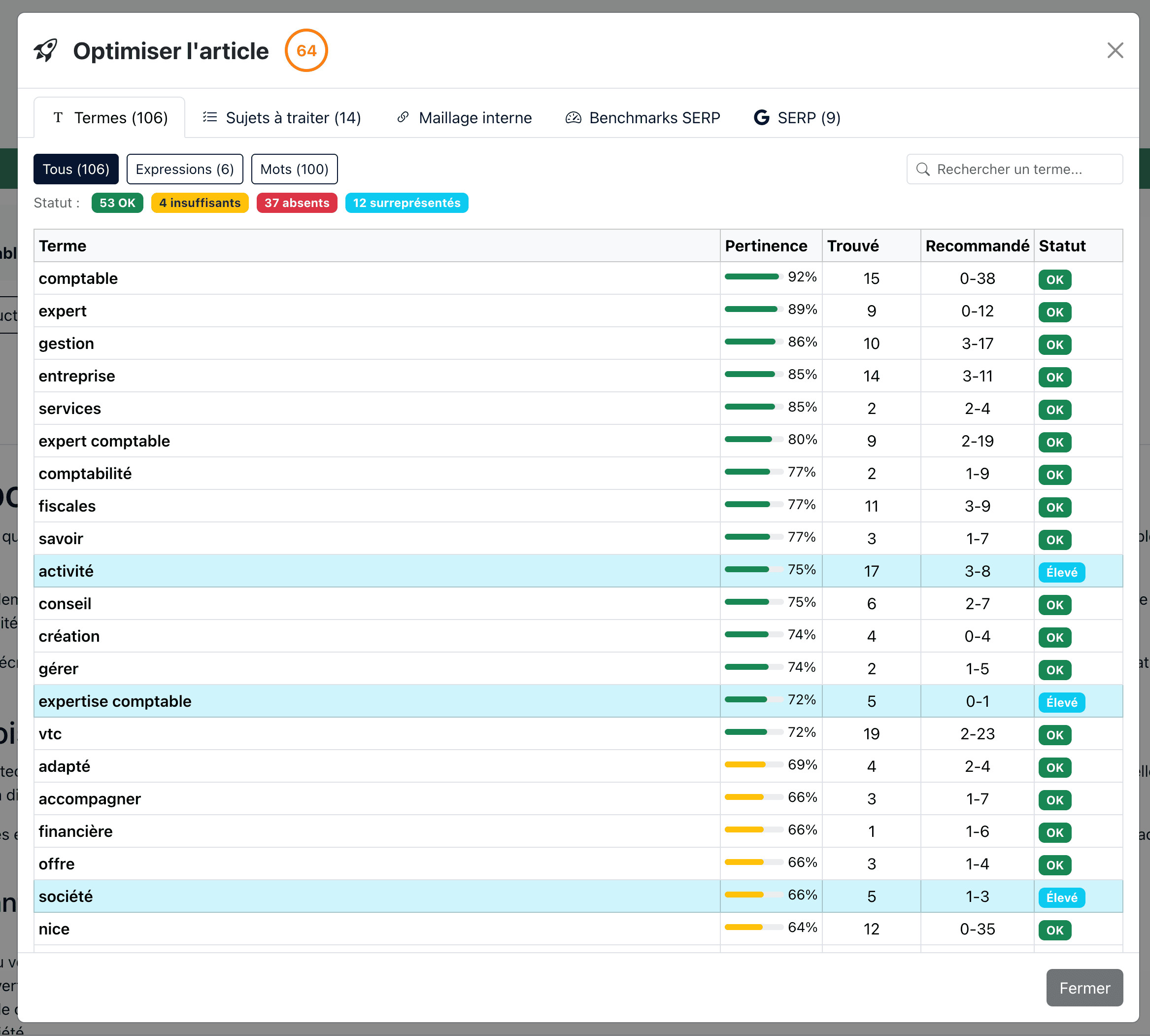
Personally, I place more importance on compound expressions than on isolated single words. A well-integrated expression carries a precise intent (“expertise comptable” doesn't have the same value as “expert” + “comptable” separately). So I start by filtering on the expressions that are missing or insufficient, and I focus on the ones with a relevance of ≥ 40%.
But — and this is important — you don't place terms mindlessly. A few rules I apply systematically:
- Naturalness above all. If the sentence becomes clunky, I rephrase it rather than force the term. Google detects stuffing, and so does the reader.
- Business relevance. On e-commerce, Horusium might suggest “cart” or “add to cart”: if your page isn't a product page, it's a no. The tool suggests, the human decides.
- Recommended ≠ mandatory. The Recommended column gives a range, not an exact target. Hitting the bottom of the range is more than enough.
And we work in a tight loop: with each save, Horusium automatically recounts the terms and updates the score. We see the effect of every change in near real time, which makes the work extremely satisfying — we move forward point by point.
Step 4 — Internal linking and finalization
Before putting the article online, one last pass through the Internal linking tab. We enter the domain the article will be published on: Horusium then identifies the existing pages on the site related to the topic, and for each one suggests an optimized anchor based on semantic analysis.
Here again, the anchors are suggestions. We adapt them to the specific context of the destination page: an exact-match anchor isn't always justified, and it's better to vary the wording to keep a diversified internal link profile.
The result
After a few minutes of work on the terms and the internal linking, the Optim Score went from 64 to 74.
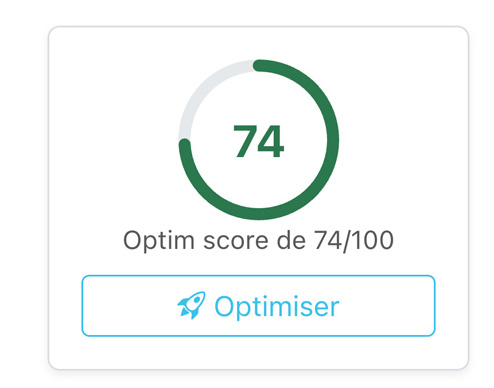
+10 points in a few minutes, without touching the editorial substance: we cross over from orange to green just by working on the missing terms and the internal linking. And we could have pushed higher, but we deliberately stopped there: we made the choice not to insert the exact keyword “expert comptable VTC Nice” into the H1 and the H2s, in favor of more natural phrasing. It's a deliberate trade-off, not a shortcoming — a few score points sacrificed for a title that truly speaks to the reader. What matters is less the absolute number than the controlled progression: with each adjustment, we know why we're doing it.
Once satisfied, one click on Download HTML and we get a file ready to paste into the site's CMS.
Bonus — Illustration image and FAQ
Two modules round out the writing tool and are worth pausing on.
The first: image generation. In one click, Horusium produces a landscape-format illustration image (1536×1024), ready to embed in the page. It's included in the writing credit — so it's “free” once the writing has been launched.
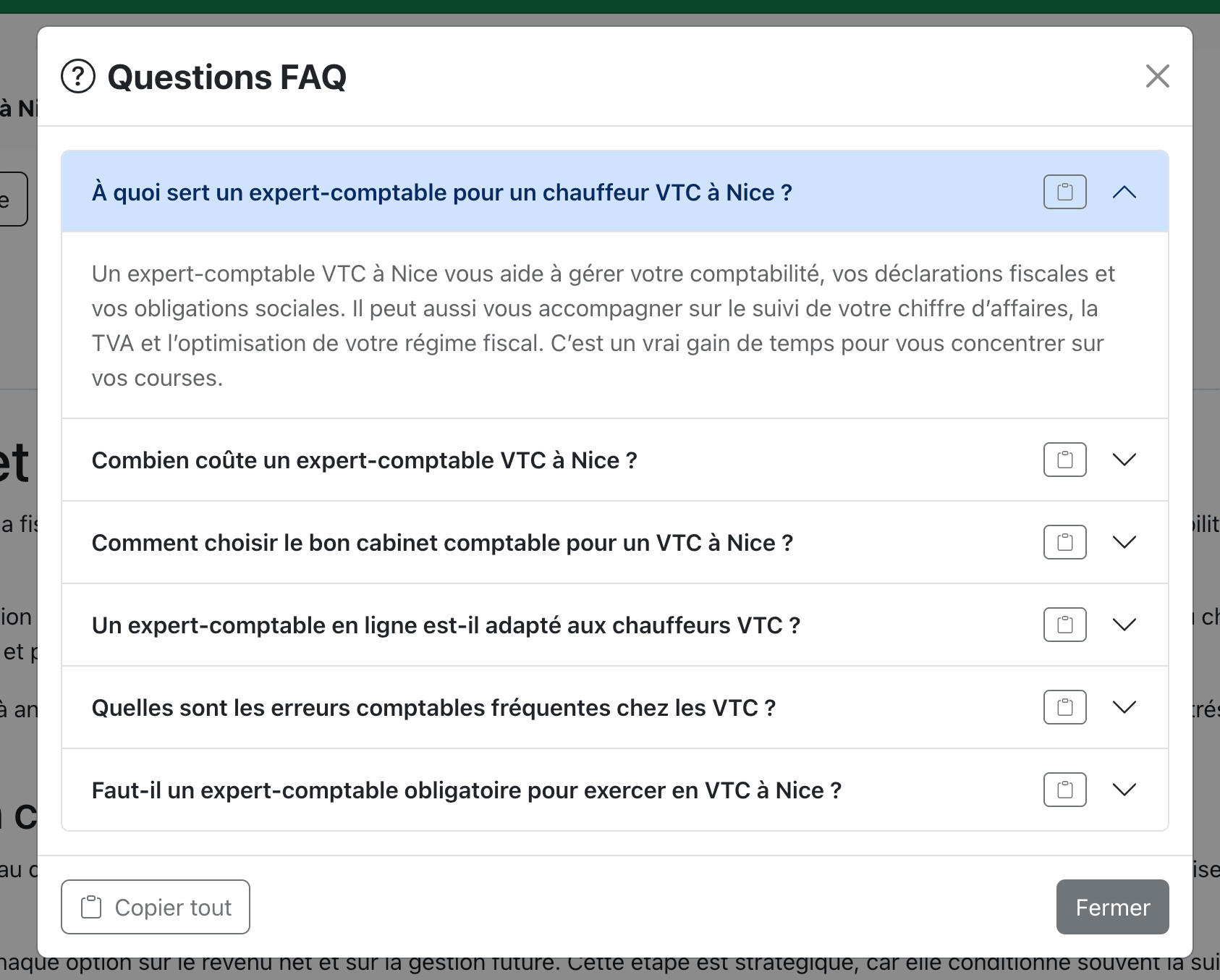
The second: FAQ generation. Based on the questions people actually ask around the keyword, Horusium rephrases 6 coherent questions and answers them. It's ready to paste into a FAQ section at the bottom of the article — excellent for capturing long-tail traffic and earning rich results in Google.
And after going live?
Article published, we let a few weeks go by so Google can index and rank it. To speed up indexing, a service like IndexMeNow can force Google to take it into account within a few days. Once it has found its place in the SERP, we switch to the SEO Audit module: we run an audit of the live page, on the target keyword, and work on the blind spots that couldn't be anticipated at the writing stage (real speed, technical signals, backlinks, scoring vs. current competitors).
This is the full cycle of a page you want to grow sustainably: research → writing → optimization → publication → audit → iteration. Horusium is built to handle each step, but the fuel is still your business expertise. The tool makes the process systematic and measurable; editorial relevance is always you.