
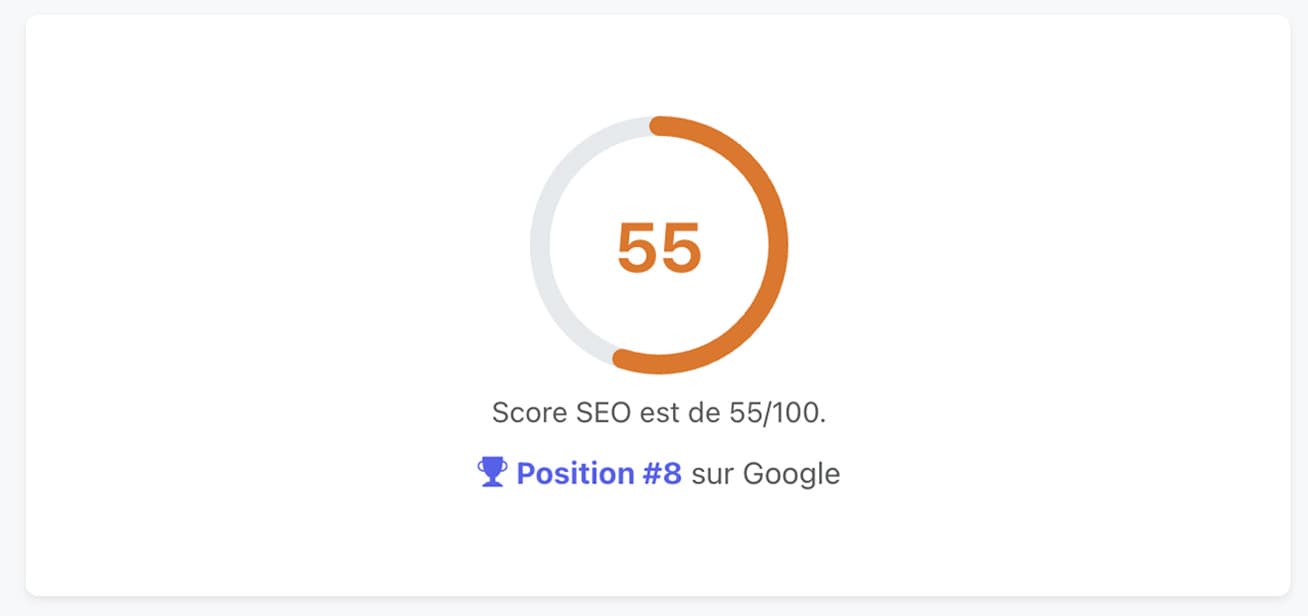
After the article on writing a brand-new piece of content, we're staying hands-on with another case study: pushing up a page that's already live. The context: a landing page ranked 8th on Google for its target keyword. Not a disaster, but clearly well short of the mark. Horusium score at the start: 55/100. The goal: identify the levers, work them module by module, and finish above 80. Let's run through the full method, skipping nothing.
Step 1 — Launch the audit
Off to the SEO Audit module. The creation form is deliberately minimal: the keyword you want to rank for, the target page URL, the language, the country and the device type.
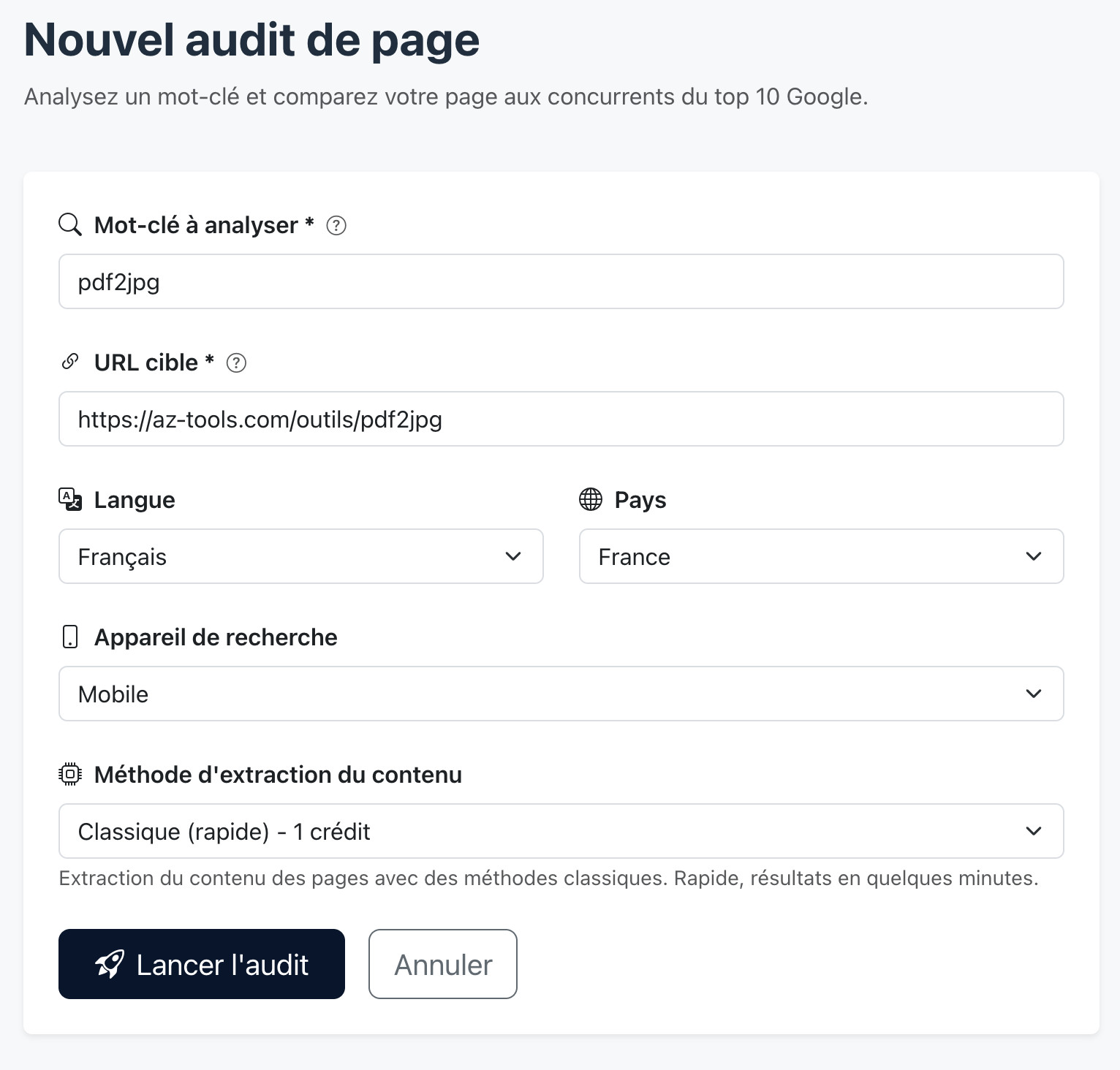
The site is in French and speaks to a French audience, so we leave the language on Français and the country on France. If you're targeting another market or working on a localized version, you need to adjust these two settings: the SERP analyzed and the recommendations are specific to the chosen area. For the device, we keep mobile: it's the SERP most people use today.
We click Run audit. Horusium then gets to work: it identifies the Google top 10 for your keyword, crawls each competing page, extracts its editorial structure, salient terms, topics covered and technical signals, then runs the same analysis on your target page. A few minutes later, the audit is ready.
Step 2 — Read your score and identify priorities
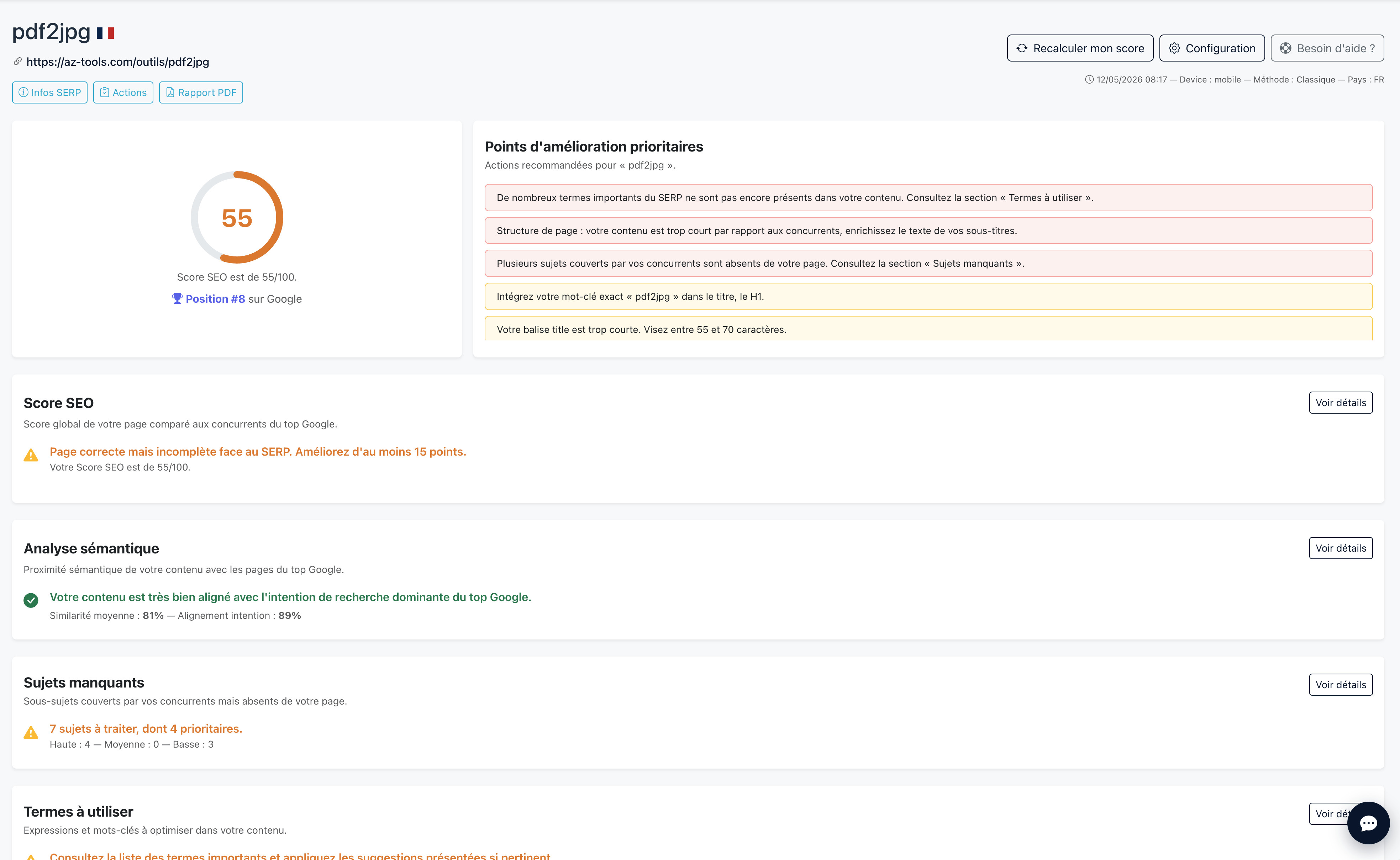
First glance: the page's SEO score is 55/100, position 8th on Google. Not great, but that's exactly why we're here.
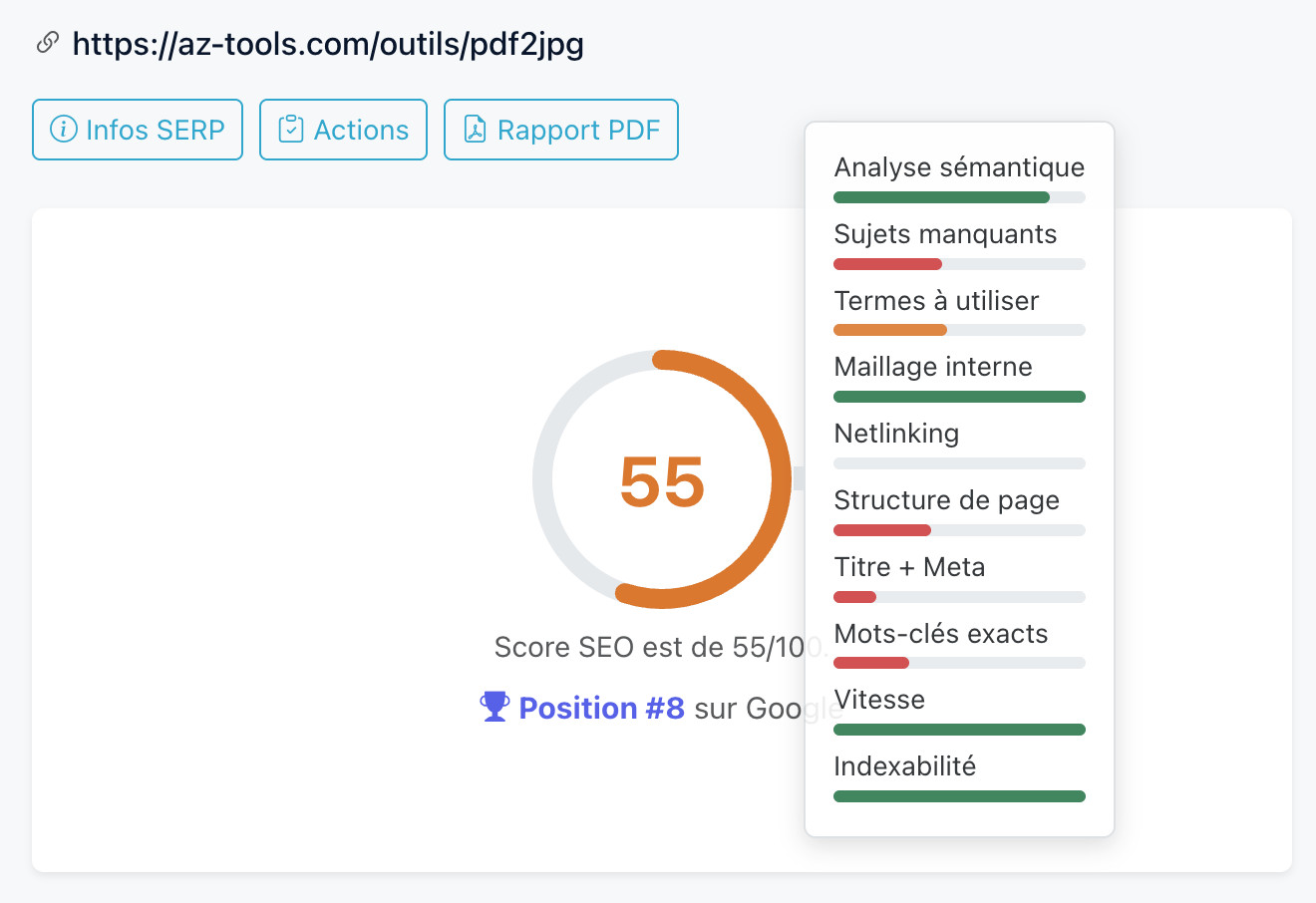
Hovering over the score reveals a breakdown module by module: how many points on each criterion, where the gaps are. You immediately see the modules to work on first.
Right next to it, the Priority improvement points block ranks actions by importance and by the number of points you can recover. You know where to start to gain the most points with the least effort.
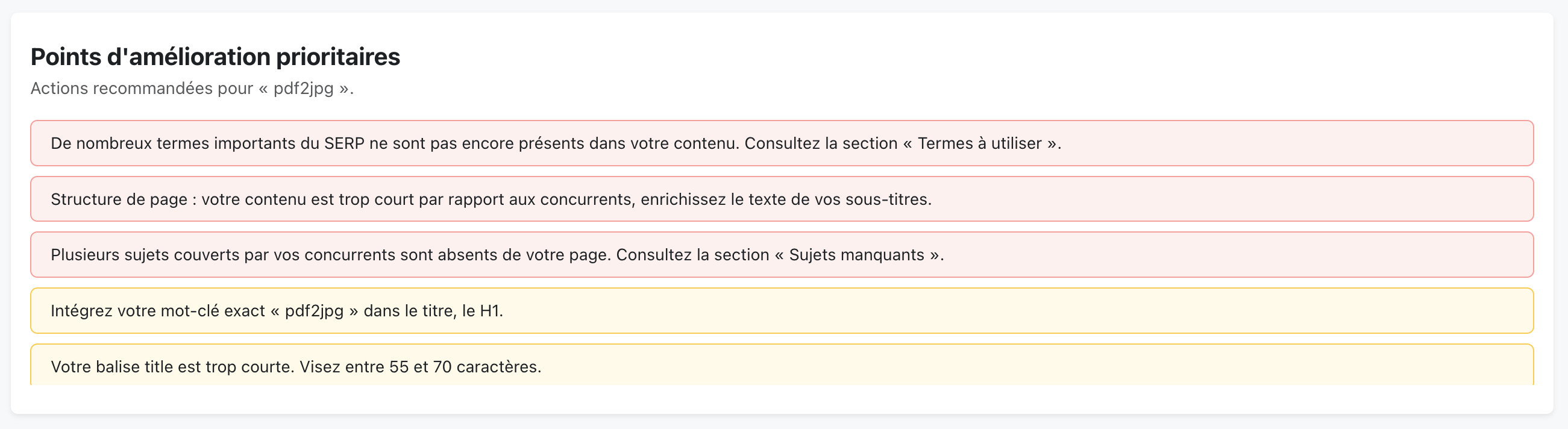
In this specific case, three main alerts come up: some important terms are missing, the content is shorter than the competitors', and several topics covered by the top 10 aren't addressed on the page. That's the raw material for the work ahead.
Step 3 — Compare yourself to the SERP competitors
Before diving into the modules, we stop by the comparative SEO score chart. It shows where the target page stands against the top 10 and visualizes the blue zone, the range of the best-rated competitors.
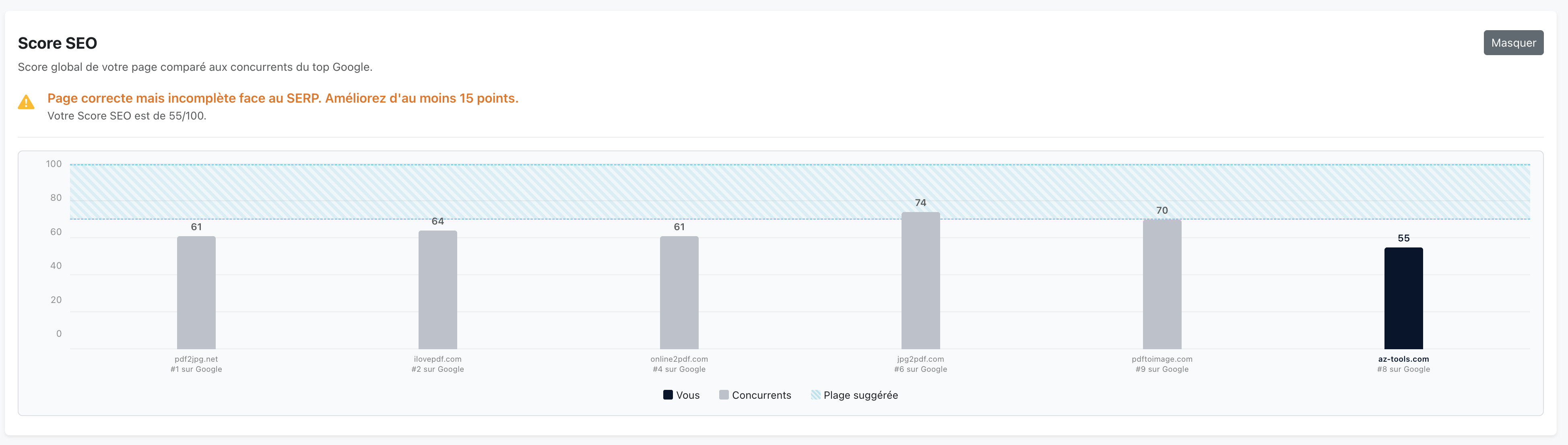
Our page is the lowest on the chart. The goal is clear: get into the blue zone, then overtake the competitors one by one.
Step 4 — Fill in the missing topics
A quick first detour through the Semantic analysis module. It measures how well your page is aligned with the dominant search intent: are you really talking about the same subject as the well-ranked competitors, or are you off the mark?
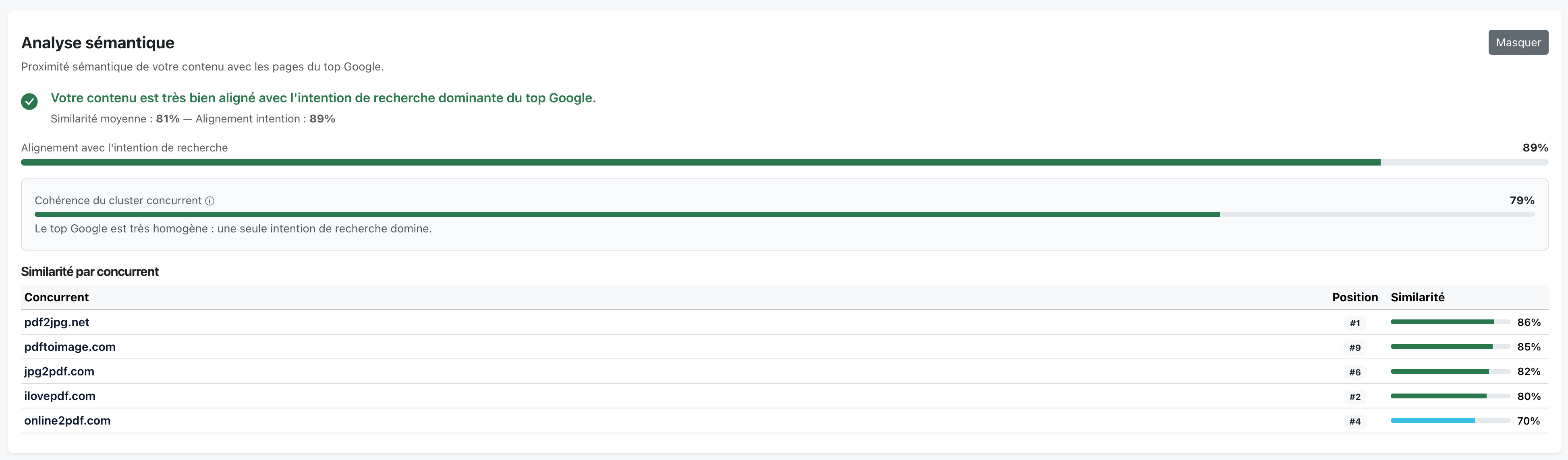
In our case, the page is well aligned: no action required on this module. That's a good signal: it means the gaps are in the details (coverage, structure, terms), not in the substance.
On to the Missing topics module: it identifies the sub-topics covered by the top 10 competitors but absent from our page, and ranks them by priority.
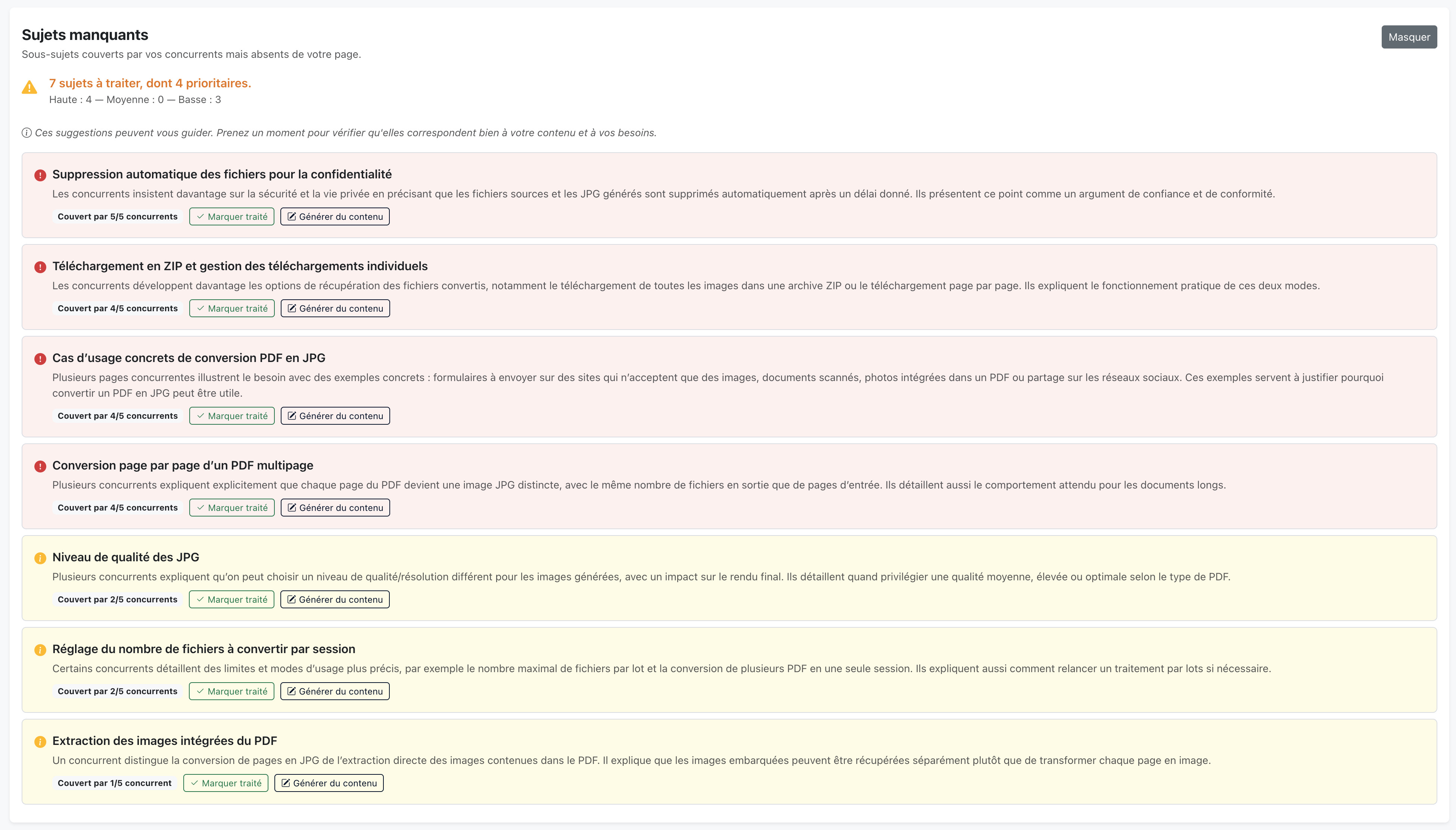
Two ways to tackle the list:
- write the paragraph to add to the page yourself;
- or click Generate content and let Horusium produce a paragraph (~80–120 words + an H2) ready to paste into the content.
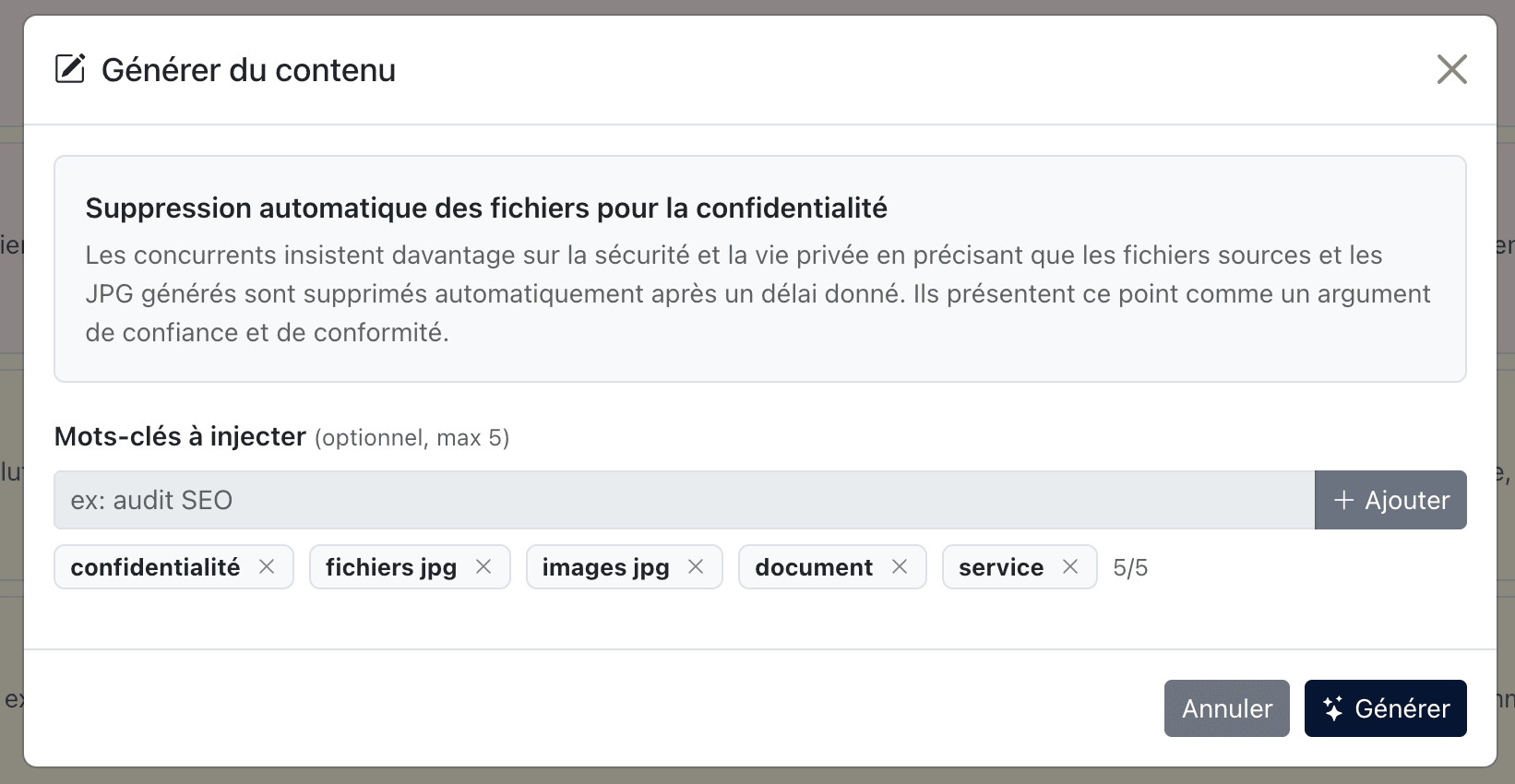
A game-changing tip: on top of the topic, you can specify up to 5 keywords to include in the generated paragraph. Taken from the Terms to use module, these missing words will be naturally injected into the new content — two birds, one stone. Click Generate, proofread, tweak if needed, and add the result to the page.
A step not to forget: once the content is live, click Mark as done on the topic. That's what lets Horusium remove the penalty on the next recalculation.
We repeat the move on the remaining topics. Personally, I focus on high priority and then handle the medium / low priority ones that seem genuinely relevant to my editorial angle. No point covering a marginal topic just to tick the box: it dilutes the page.
Recalculate the score after changes
Once the additions are integrated into the page, we relaunch an analysis to account for the changes. The Recalculate my score button is at the top right of the audit. Horusium re-analyzes the target page, updates the missing terms, recounts the topics covered and recalculates the score — without touching the competitors or the internal linking suggestions already computed (so it's fast).
The number of missing terms has dropped (the keywords injected in the previous step did their job), the total word count and the number of H2/H3 has grown, and several topics move to covered. The score climbs mechanically.
Step 5 — Work on the terms to use
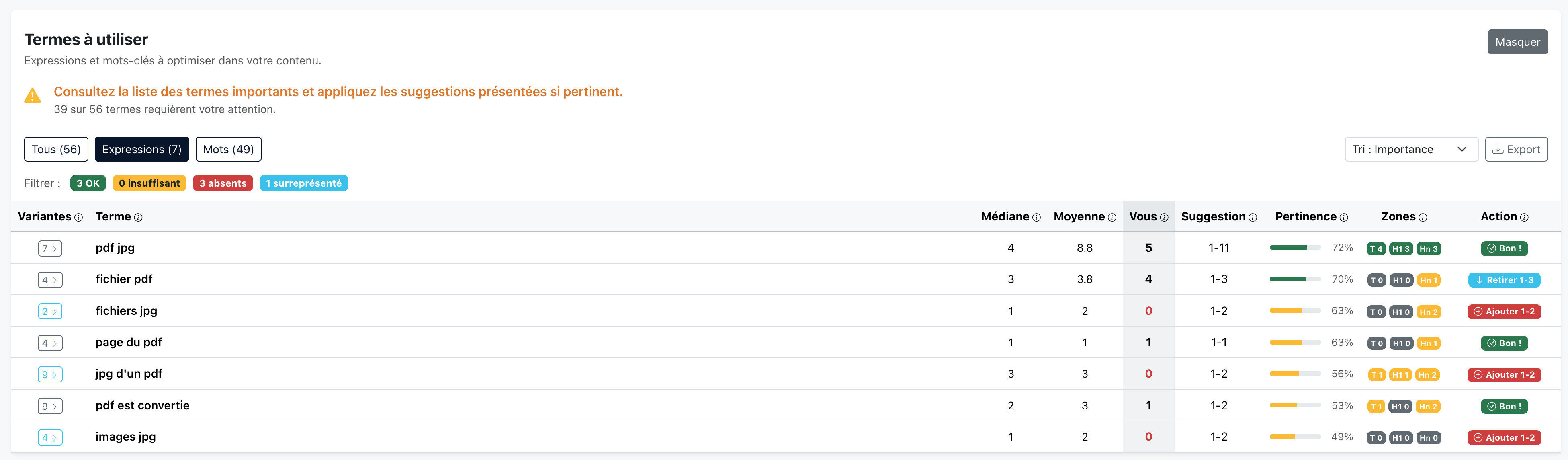
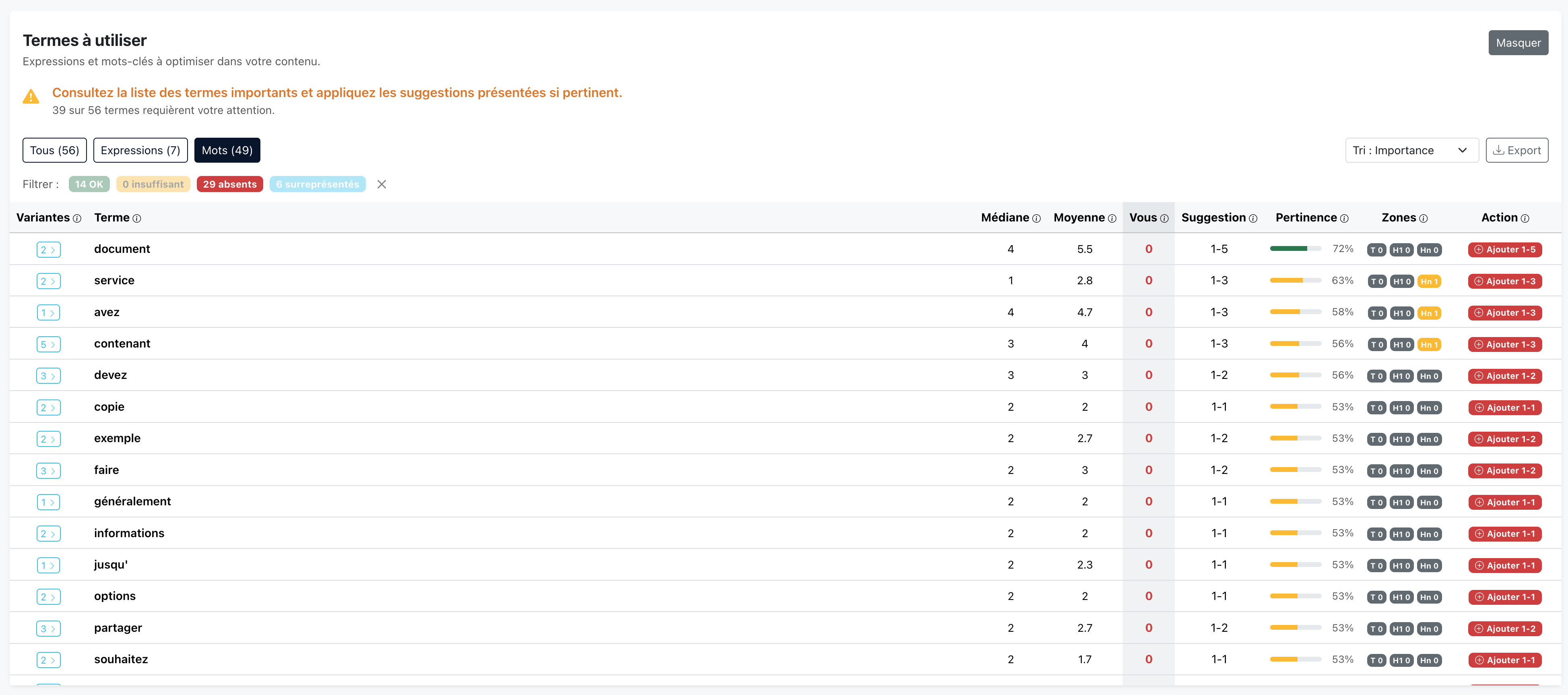
Now for the Terms to use module. It lists the phrases and single words found on the well-ranked competitors and compares their occurrences to your page. Two tabs: Phrases (combinations of 2 to 3 words) and Words (single terms). Personally, I give more weight to phrases: they carry a more precise intent than an isolated word.
Filter out noise terms
Before jumping on the list, first reflex: clean it up. Depending on the SERP, some terms show up even though they make no sense for your page. A typical example: add to cart on a subject that has nothing to do with e-commerce, or terms tightly tied to one specific competitor that pollutes the SERP.
Open the Settings button at the top right, the Excluded terms tab, and add the noise terms. Apply and recalculate: the audit is rerun ignoring these terms, which no longer carry any weight in the scoring and disappear from the recommendations.
Read the statuses and filters
On the table itself, four statuses to understand:
- OK — the term is present within the expected range, nothing to do;
- Insufficient — the term is there, but less than expected relative to the SERP;
- Missing — the term isn't in your page at all;
- Overused — the term is used far more than the median of the competitors (stuffing risk).
The goal: break the anomalies. We avoid overuse (dilute or remove), and above all we make sure every relevant term with a missing status appears at least once on the page. In my experience, the biggest gain simply comes from taking a term from 0 to 1 occurrence. If you can then reach the recommended range, great, but the jump happens on the first occurrence.
One non-negotiable rule: stay natural. If a sentence gets clunky, rephrase rather than force the term. Google detects stuffing, and so does the reader.
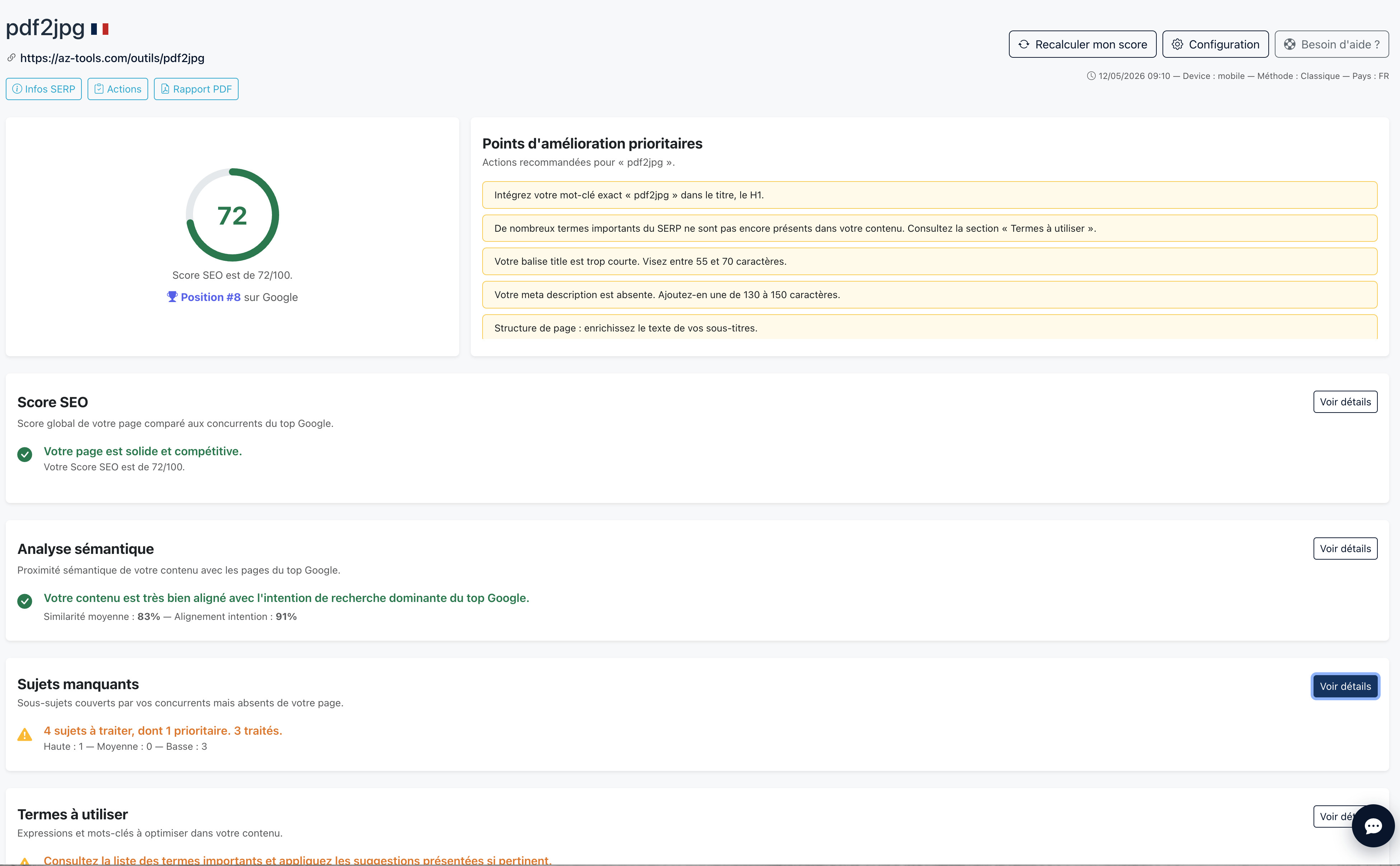
After editing the content, we click Recalculate my score again. The page is re-analyzed, and the score reaches 72/100. Much better.
Step 6 — Check internal linking and netlinking
Internal linking
Horusium identifies the pages of your site that are semantically close to the subject and should link to the target page. For each one, it indicates whether the link already exists or not, an internal linking weight (the relative importance of the source page, computed by our internal algorithm) and an anchor suggestion to use.
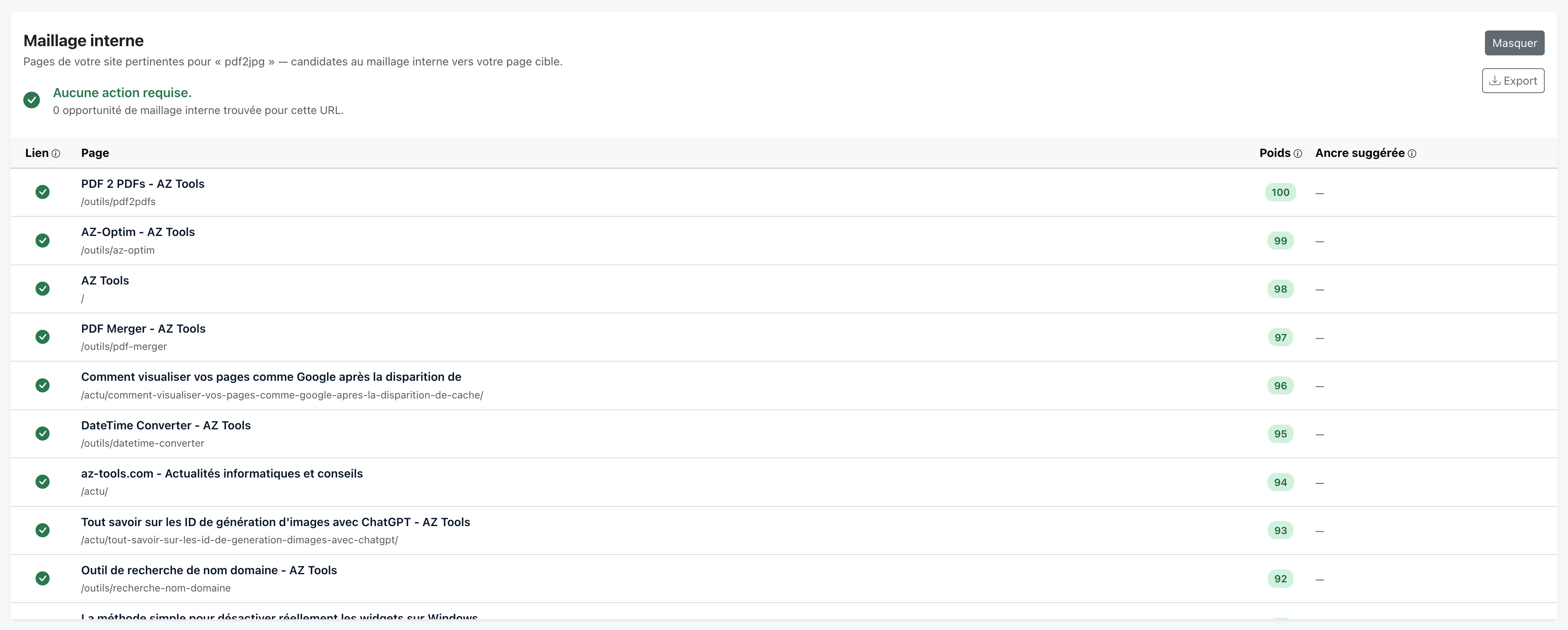
In our case, the internal linking is already good: the page is part of the site's main menu, so it's linked from every page. If that hadn't been the case, Horusium would have listed the most relevant source pages, their weight, and the exact anchor to use on each. All that would be left is editing those pages to add the link.
Netlinking
The Netlinking module compares the number of referring domains pointing to your page (not your entire domain: the page itself) with those of the top 10 competitors.
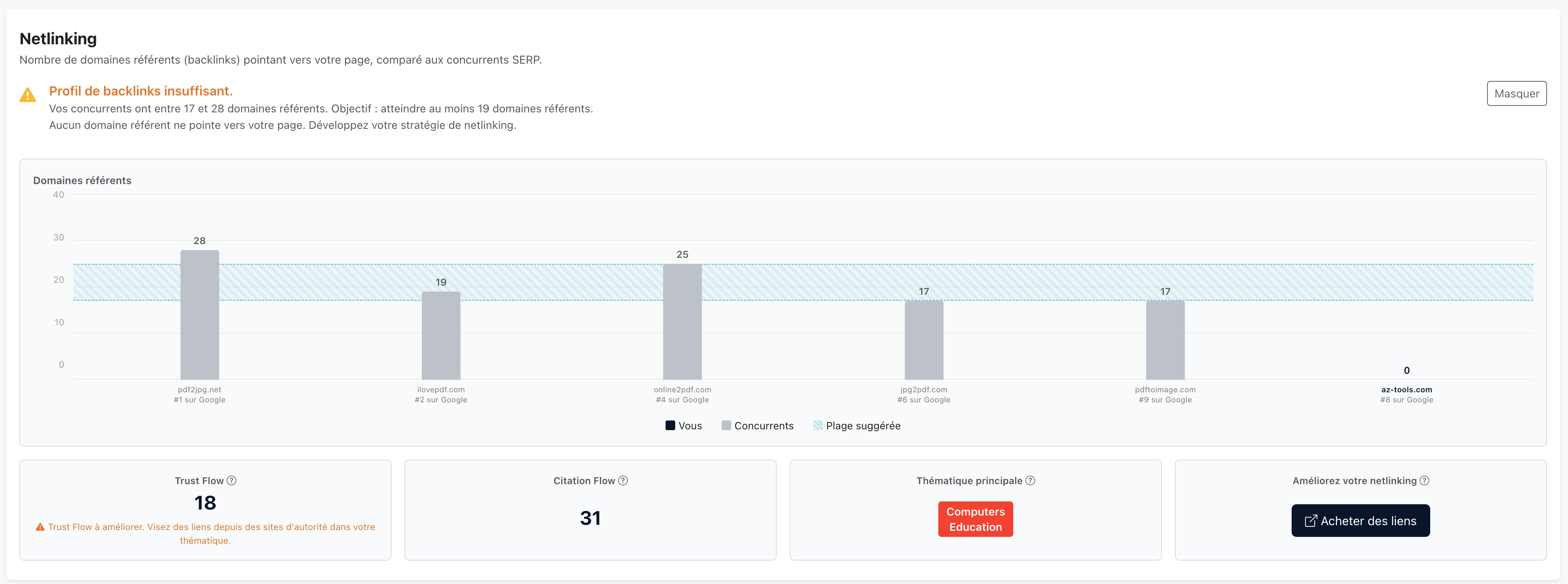
Here, the verdict is unequivocal: no inbound links on the target page, while competitors have between 17 and several dozen. It's a structural gap that content can't fix: you have to go out and get links. For that, I use my favorite netlinking platform, MisterGoodLink, and order a few quality links to the page.
This metric won't update right away after the order: links take a few weeks to be discovered, crawled and picked up by measurement tools. The key is to do the work today; the score will eventually follow.
Step 7 — Polish the finish (the “technical” modules)
The modules that follow generally have less impact on the overall score, but they help you catch the oversights that needlessly drag the score down. At this stage, we review them one by one.
Page structure
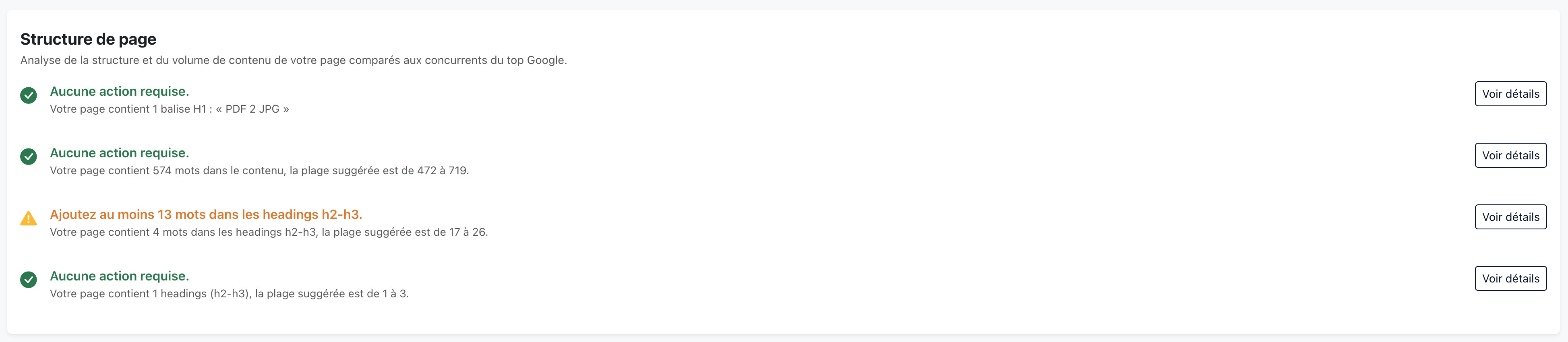
I use this module mainly to detect anomalies rather than as a target to hit down to the pixel. If I have no H1 (or several H1s), I fix it immediately: it's a basic mistake. For the word count or the number of H2s, I aim for the SERP norm, not the exact value: staying within the range of the competitors is plenty.
Title and meta description length

Well, well: in this specific case, the page has no meta description. A plain oversight — that's typically the kind of point the audit surfaces and that you'd never have spotted without going through it. We add it and rerun a recalculation.
Exact keywords
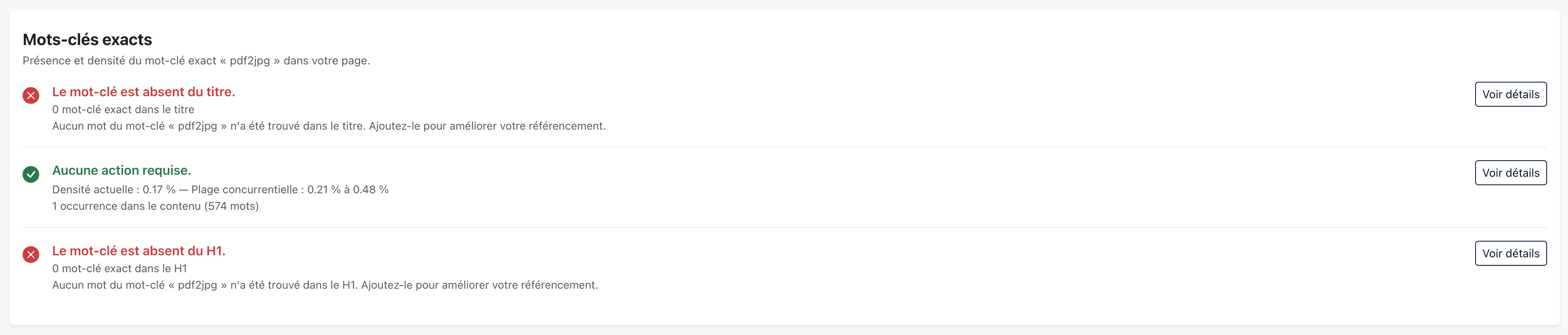
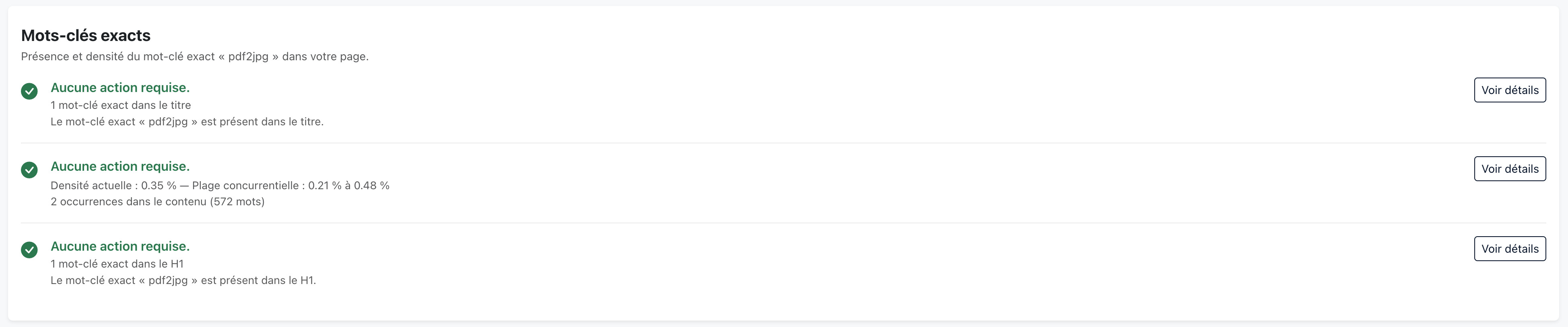
This module checks the presence of the target keyword in the title, the H1 and the body of the page. For compound keywords, it distinguishes three states: exact (the words in the exact order), partial (the words are there but split or reordered), and missing.
Consistency above all. If the exact keyword produces phrasing that sounds off, I'd rather use a clean, natural partial match than an exact one that sticks out in a title. No point writing “cheap hotel Nice center” in your H1 if the correct phrasing is “Cheap hotel in the center of Nice” — the H1 has to speak to humans too.
On the audit, I spot one issue: my actual target keyword is written without a space, whereas the content uses a spaced variant. It's easy to fix — we adjust the key occurrences and rerun a recalculation.
Speed metrics

The Speed metrics module simply serves to check that the page stays within the norms of the top 10 competitors. If you're out of range, it's a topic to dig into with the developer, but not urgent here: everything is nominal.
Page indexability
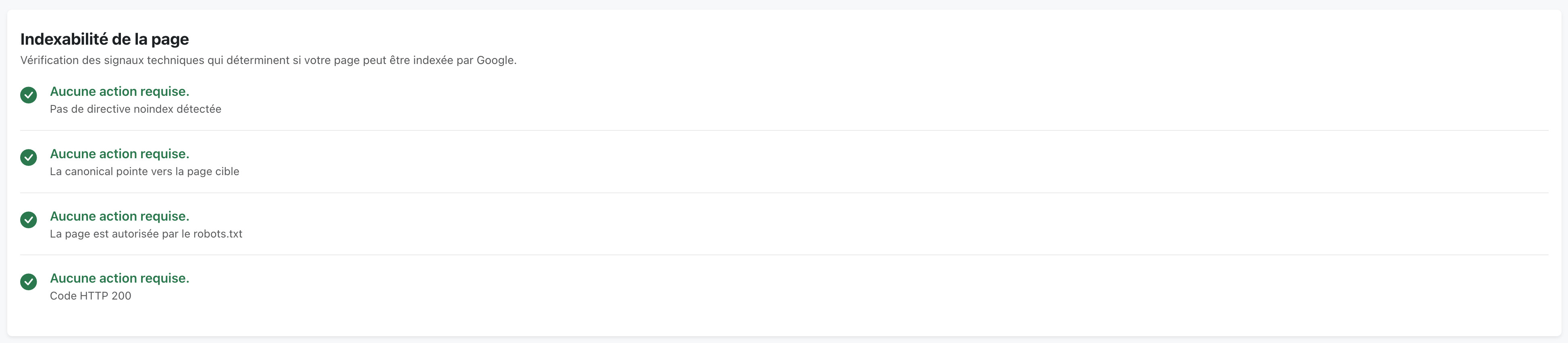
The Indexability module checks four technical signals that determine whether Google is allowed to index the page: meta robots, HTTP header, canonical tag and robots.txt rules. Everything must be green. If a single box turns red, the page can be deindexed outright, no matter how good the rest is: it's the only module that can cap your SEO score at 5/100 in case of an anomaly. To fix as the absolute top priority.
The result: from 55 to 81/100
By going through the full loop, we move from 55/100 to 81/100, i.e. +26 points. The page is now well within the blue zone of the competitors and has a real chance of climbing back up on Google in the coming weeks.
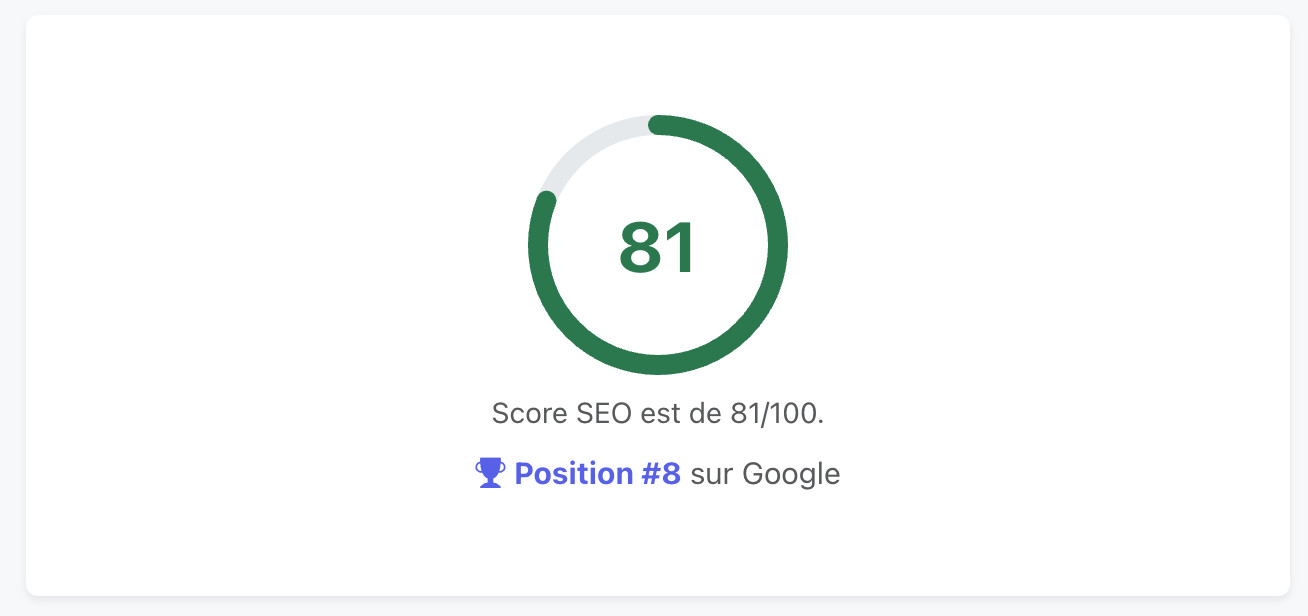
What matters most. The absolute number matters less than the controlled progression: with each change, you know which module you're working on and why. No magic recipe, just a method that applies systematically.
Note: the score doesn't yet reflect the expected gain from netlinking — the new links aren't counted yet. It's a bonus to come, which will show up on a future audit of the page, once the ordered links are discovered by the measurement tools.
Bonus — The audit's companion tools
At the top of the audit, several buttons give access to complementary tools. We already mentioned Settings (excluded terms, choice of competitors to include / exclude): that's where you keep control over the exact scope of the analysis.
SERP info
The SERP info button: a popup that shows the title and H1 of each page in the top 10, with their favicon and their position. Very useful when reworking your own title: you see how competitors phrase their promise, and draw inspiration or deliberately stand apart.
Actions
The Actions button: a mini editor that lets you note every change made to the page (added text, title fixes, ordered links, etc.). Three good reasons to make it a habit:
- Remember what you did, and when. SEO plays out over several weeks, and you forget fast;
- Revert if needed: if a change makes the score drop, you know which one;
- Produce a clean client report, with the full history of the actions taken (the actions are included in the PDF report, and each entry has a checkbox to include it or not).
PDF report
The PDF report button: generates a before / after comparison PDF. Horusium captures a snapshot when the audit is created, then compares to the current metrics: score, change on each module, points gained, actions taken, topics covered. The PDF includes your logo and your company name — perfect to send as a deliverable to a client at the end of an engagement.
The method, in short
We start from an existing page, launch an audit, and follow a simple loop: identify the priority lever → fix → recalculate → check the gain. With each iteration, we climb a few points and understand exactly why. No black-box effect, no lucky break: a method that repeats page after page, project after project.
The tool makes the approach systematic and measurable. The fuel, as always, is your domain expertise — it's what decides what to keep, what to exclude and what to rephrase to stay natural.